
Every serious AI team faces the same problem eventually.
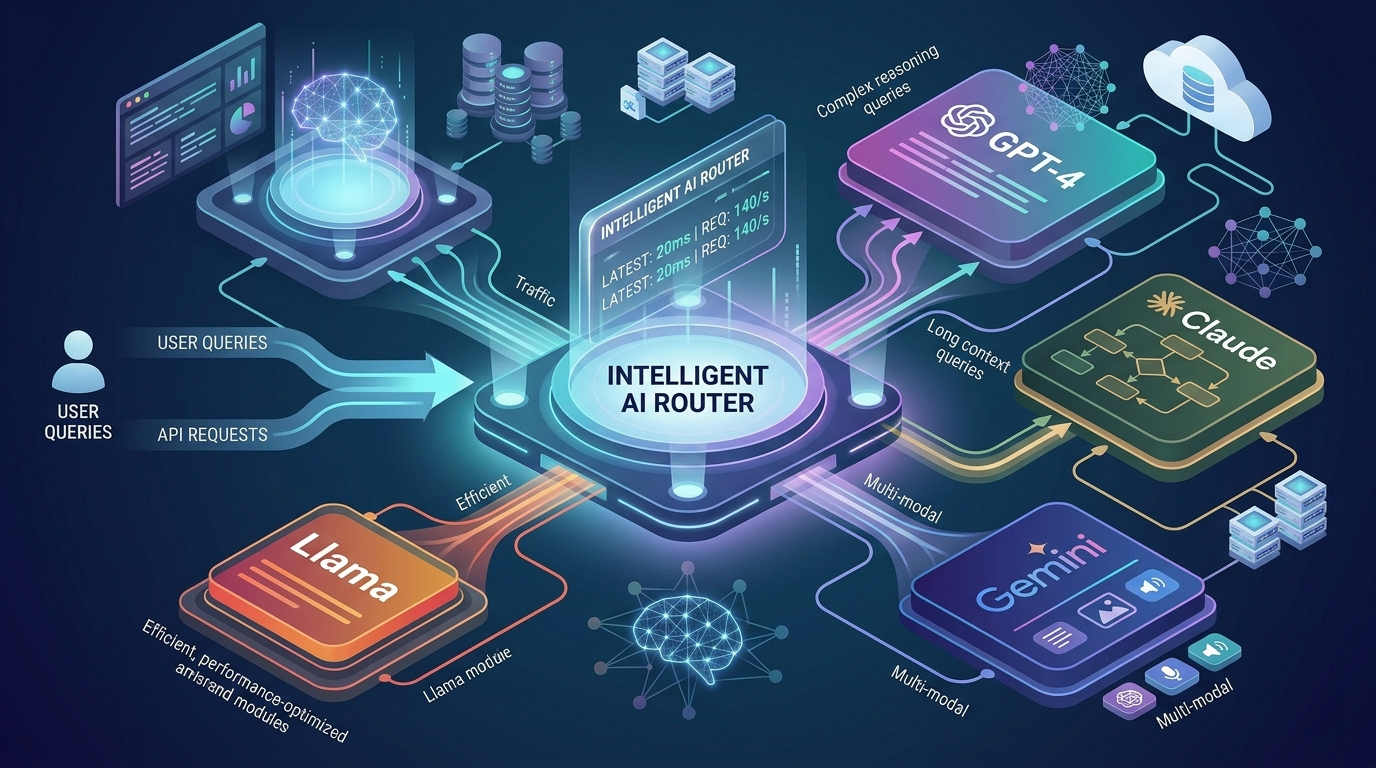
You started with one model, probably GPT-4. Then you added Claude for writing tasks because it was better. Then Gemini for vision. Then, a fine-tuned Llama for your specific domain. And now you have four different API keys, four billing dashboards, four sets of rate limits, and engineers manually deciding which model gets which task.
That’s not a stack. That’s a mess.
Multi-model AI routing is the solution: a systematic approach to managing multiple AI models as a unified, intelligent system where every task gets routed to the best model automatically, based on real-time performance data, cost constraints, and task requirements.
This guide covers how it works, why it matters, and how to implement it without building custom infrastructure.
What Is Multi-Model AI Routing?
Multi-model AI routing is the process of automatically directing AI tasks to the most appropriate model from a pool of available models based on dynamic criteria like task type, cost, latency, and performance history.
Instead of hardcoding ‘use GPT-4 for everything’ or manually splitting tasks across models, a routing layer makes these decisions programmatically, in real time, for every request.
The result is a system that is simultaneously smarter, cheaper, faster, and more reliable than any single-model approach.
Why Single-Model Approaches Break at Scale
When teams rely on a single AI model for everything, they hit three predictable walls:
The Cost Wall
Premium models like GPT-4o and Claude Opus are significantly more expensive than mid-tier alternatives. When every task, including simple ones, routes through the same premium model, costs scale linearly with usage. A routing layer can cut AI costs by 40-70% by using cheaper, equally capable models for simpler tasks.
The Capability Wall
No single model is best at everything. GPT-4 leads in reasoning and coding. Claude excels at long document analysis and writing. Gemini handles vision tasks. Specialized fine-tuned models outperform general models on domain-specific tasks. A single-model approach always means leaving performance on the table.
The Reliability Wall
When your entire AI stack depends on one provider’s API, any outage, planned or unplanned, takes down your entire AI capability. Multi-model routing provides automatic failover: if your primary model is unavailable, tasks instantly route to an equivalent alternative.
How Multi-Model AI Routing Works
A routing system makes three types of decisions for every incoming request:
1: Task Classification
Before routing, the system needs to understand what kind of task it’s handling. Is it:
- Code generation or debugging?
- Long document summarization or analysis?
- Short-form content creation?
- Structured data extraction?
- Reasoning or multi-step problem solving?
- Image or multimodal processing?
Classification can be explicit (you define task types in your workflow) or implicit (the router infers task type from the request content).
2: Model Selection
With the task type known, the router applies selection criteria:
| Selection Criterion | What It Measures | Why It Matters | Weight |
| Task fit | Model’s historical accuracy on this task type | Determines output quality | High |
| Cost per token | Input/output token pricing | Controls spend | High |
| Latency | Average response time | Affects user experience | Medium |
| Availability | Current API status and rate limits | Ensures reliability | High |
| Context length | Maximum input size supported | Handles long documents | Situational |
Advanced routers like Neptune’s Meta-AI Router weigh these criteria dynamically based on the specific workflow, a batch summarization job prioritizes cost differently than a customer-facing real-time response.
3: Execution and Monitoring
After routing, the system monitors the request’s execution and records outcomes: quality, latency, cost, and whether any failures occurred. This data feeds back into future routing decisions, making the system progressively smarter over time.
The Major AI Models and When to Use Each
Understanding where each model excels helps you configure routing effectively:
| Model | Strongest Use Cases | Relative Cost | Context Window |
| GPT-4o | Reasoning, coding, structured output | High | 128K tokens |
| GPT-4o mini | Simple tasks, classification, summaries | Low | 128K tokens |
| Claude 3.5 Sonnet | Long docs, writing, nuanced analysis | Medium | 200K tokens |
| Claude 3 Haiku | Fast, simple tasks, real-time use | Very Low | 200K tokens |
| Gemini 1.5 Pro | Multimodal, vision, very long context | Medium | 1M tokens |
| Llama 3 (fine-tuned) | Domain-specific tasks, private data | Variable | 8K-128K |
A routing layer lets your organization benefit from all of these simultaneously, without requiring engineers to manually manage which task goes where.
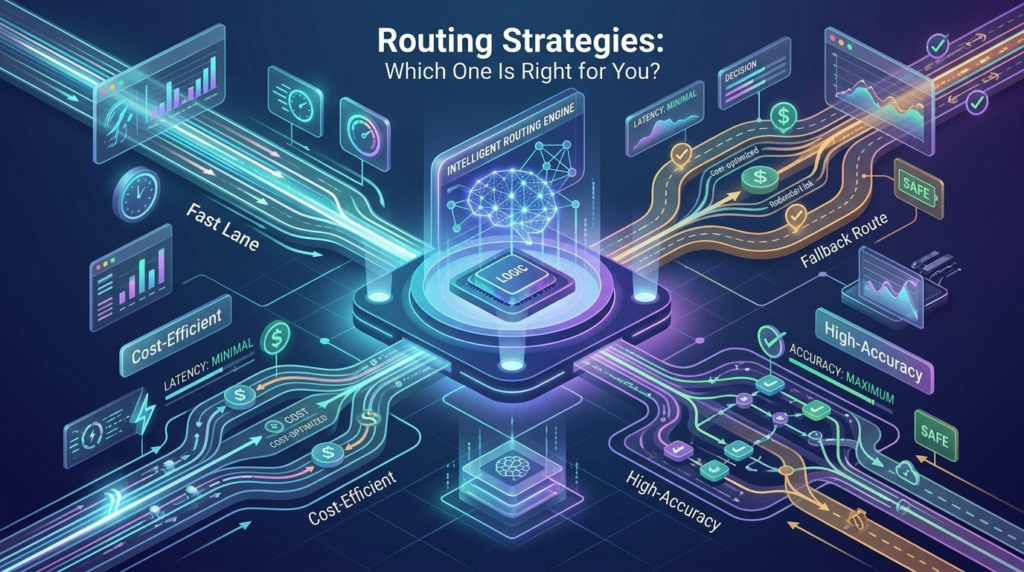
Routing Strategies: Which One Is Right for You?
Cost-Optimized Routing
Route every task to the cheapest model that meets the quality threshold. Use premium models only when simpler models don’t perform well enough. Best for high-volume, cost-sensitive applications like content generation pipelines or data processing workflows.
Quality-First Routing
Always route to the highest-performing model for each task type, regardless of cost. Best for customer-facing applications where quality directly impacts user experience or revenue outcomes.
Latency-Optimized Routing
Route to the fastest model that meets quality requirements. Best for real-time applications where response time is critical, chatbots, live agents, and interactive tools.
Ensemble Routing
Send the same task to multiple models simultaneously and aggregate or select the best response. More expensive but significantly more reliable for high-stakes decisions where errors are costly.
Fallback Routing
Define a primary model for each task type, with one or more fallback options that activate automatically on failure. Neptune’s Meta-AI Router implements this by default, making your AI infrastructure resilient without any custom code.
Implementation: Setting Up Multi-Model AI Routing
Most teams follow a proven sequence when implementing multi-model routing:
1: Model Inventory (Day 1)
- List all AI models currently in use across your organization
- Document which tasks each model handles today
- Record current costs per model per month
- Identify any existing routing logic (even manual or implicit)
2: Routing Policy Design (Days 2-5)
- Define your task taxonomy. What categories of tasks does your system handle?
- Assign a primary model to each task category based on performance data
- Set cost targets per task category
- Define fallback sequences for each primary model
3: Connect to a Routing Layer (Days 3-7)
- Connect Neptune’s Meta-AI Router to your existing model APIs
- Configure your routing policies in Neptune’s dashboard
- Run test traffic through the routing layer before going live
- Verify fallback behavior with simulated failures
4: Monitor and Optimize (Ongoing)
- Review routing decisions weekly for the first month
- Compare quality metrics across models for each task type
- Adjust routing weights based on cost and performance data
- Expand routing to additional workflows as confidence builds
Common Multi-Model Routing Mistakes
Mistake 1: Routing on Cost Alone
Optimizing purely for cost leads to quality degradation. A routing policy that always picks the cheapest model will eventually produce outputs that hurt your product or require expensive human review. Route on quality thresholds first, then optimize cost within those constraints.
Mistake 2: Ignoring Context Length Requirements
Routing a 150,000-token document to GPT-4o mini (which doesn’t support that context length) causes failures. Your routing policy must account for input size and match tasks to models with sufficient context window support.
Mistake 3: No Fallback Configuration
Teams that configure routing without fallbacks discover their AI infrastructure is fragile. When the primary model has an outage, everything stops. Always configure at least one fallback per task type.
Mistake 4: Over-Engineering the Routing Logic
Some teams build elaborate custom routing systems before they understand their actual traffic patterns. Start simple, a basic three-tier routing policy (complex tasks → GPT-4o, medium tasks → Claude Sonnet, simple tasks → Claude Haiku) delivers most of the value immediately. Optimize from real data, not assumptions.
How Neptune’s Meta-AI Router Handles Multi-Model Routing
Neptune was built around the premise that multi-model routing should be a first-class capability, not an afterthought or a custom engineering project.
The Meta-AI Router connects to all major model providers through a single integration, then applies your routing policies automatically to every request. You define the policies; Neptune handles the execution.
What makes Neptune’s routing different:
- Real-time performance data: Routing decisions use live model performance metrics, not static configurations
- Automatic fallback: If a model fails or rate-limits, Neptune instantly reroutes with no engineer intervention
- Cost visibility: Every routing decision includes a cost breakdown, so you can see exactly what each workflow spends
- Custom model support: Connect your fine-tuned models alongside commercial APIs and route across all of them
- Workflow integration: Routing is part of Neptune’s full AI control plane, not a standalone tool
The result is multi-model AI routing that works out of the box, with the observability and control that enterprise teams need.
Frequently Asked Questions
How much can multi-model routing reduce AI costs?
Most teams see 40-65% cost reduction within the first 90 days of implementing routing. The exact figure depends on your current model mix and how much of your traffic is going to premium models unnecessarily. The biggest gains come from routing simple, high-volume tasks to cheaper alternatives.
Does routing add latency?
Neptune’s routing decisions add approximately 20-50ms per request, negligible for most enterprise workflows. For latency-critical applications, Neptune’s pre-computation and caching capabilities can actually reduce effective latency compared to single-model approaches.
Can I route between models from different providers?
Yes. Neptune connects to OpenAI, Anthropic, Google (Gemini), Meta (Llama via API), Mistral, Cohere, and custom endpoints. You can route across any combination of these providers based on your routing policies.
What happens if my routing configuration produces bad outputs?
Neptune’s observability layer tracks output quality metrics and can trigger alerts when quality falls below thresholds. You can also configure automatic rollback to a previous routing policy if performance degrades. Most quality issues are caught within minutes, not days.
Is multi-model routing compliant with data privacy regulations?
Neptune’s governance layer lets you define data classification rules that prevent specific data types from being routed to certain providers. Sensitive data can be restricted to on-premise or private cloud models, while non-sensitive data routes freely based on performance and cost.
The Bottom Line
Multi-model AI routing is no longer a nice-to-have for enterprise AI teams. As model diversity increases and AI workloads scale, the teams without a routing layer will face rising costs, inconsistent quality, and fragile infrastructure.
The teams with intelligent routing will do more with less, using the right model for every task, automatically, at a fraction of the cost of brute-force single-model approaches.
Neptune’s Meta-AI Router is the fastest way to get there, without building custom infrastructure or hiring a dedicated MLOps team to maintain it.