
Omnichannel AI Agents That Deliver Your Workflow Outputs Automatically
Most AI tools stop at the point of generating an answer. A model produces a summary, a score, or a draft, and then that output simply sits inside a dashboard until someone remembers to open it, copy it, and send it to the person who actually needs it. That gap between “the AI finished its job” and “the right person has the result” is where most automation quietly breaks down.
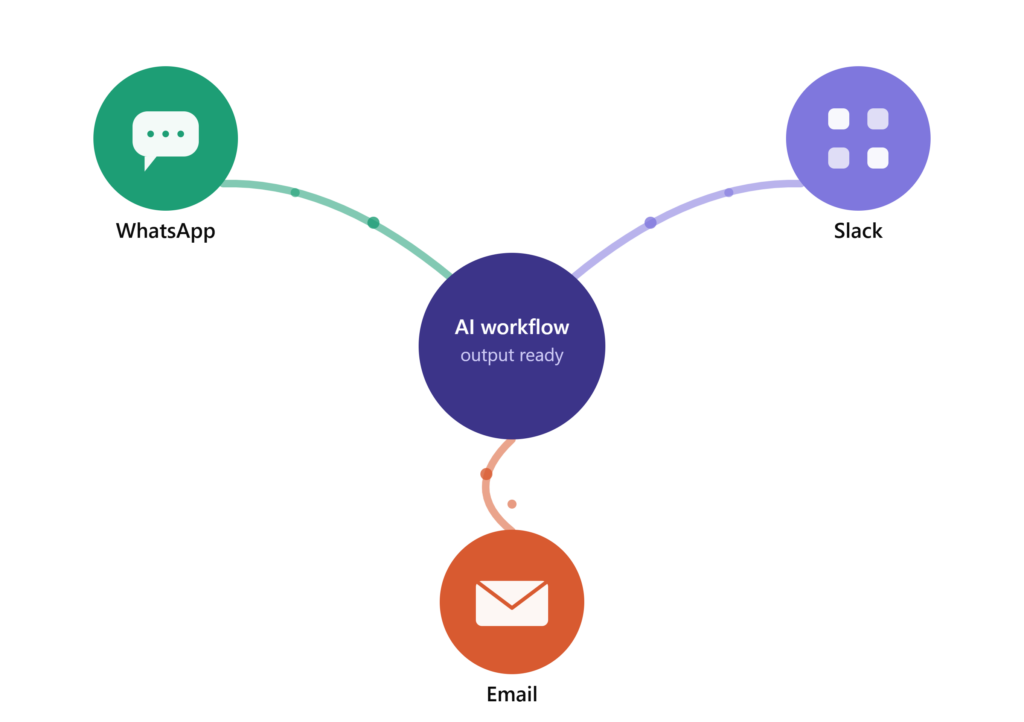
Neptune AI closes that gap with omnichannel AI agents built into every workflow. Once an AI task completes, the agent takes the result and delivers it directly through WhatsApp, Slack, email, or a custom API endpoint without a person in the middle, and without you having to wire together a separate messaging tool on top of your automation stack.
What an Omnichannel AI Agent Actually Does
An omnichannel AI agent is the delivery step of an automated workflow. It doesn’t generate the AI output itself that’s handled earlier in the workflow, by whichever model is best suited to the task. Its job starts the moment that output is ready: formatting it correctly for the destination channel, identifying the right recipient, and sending it immediately.
This distinction matters because it’s a different problem from the one most “AI agent” tools solve. A support chatbot responds to messages a customer sends in. A communication agent, by contrast, is triggered by the completion of an internal process a lead being scored, a report being generated, a ticket being summarised and pushes that result outward to wherever it needs to land next.
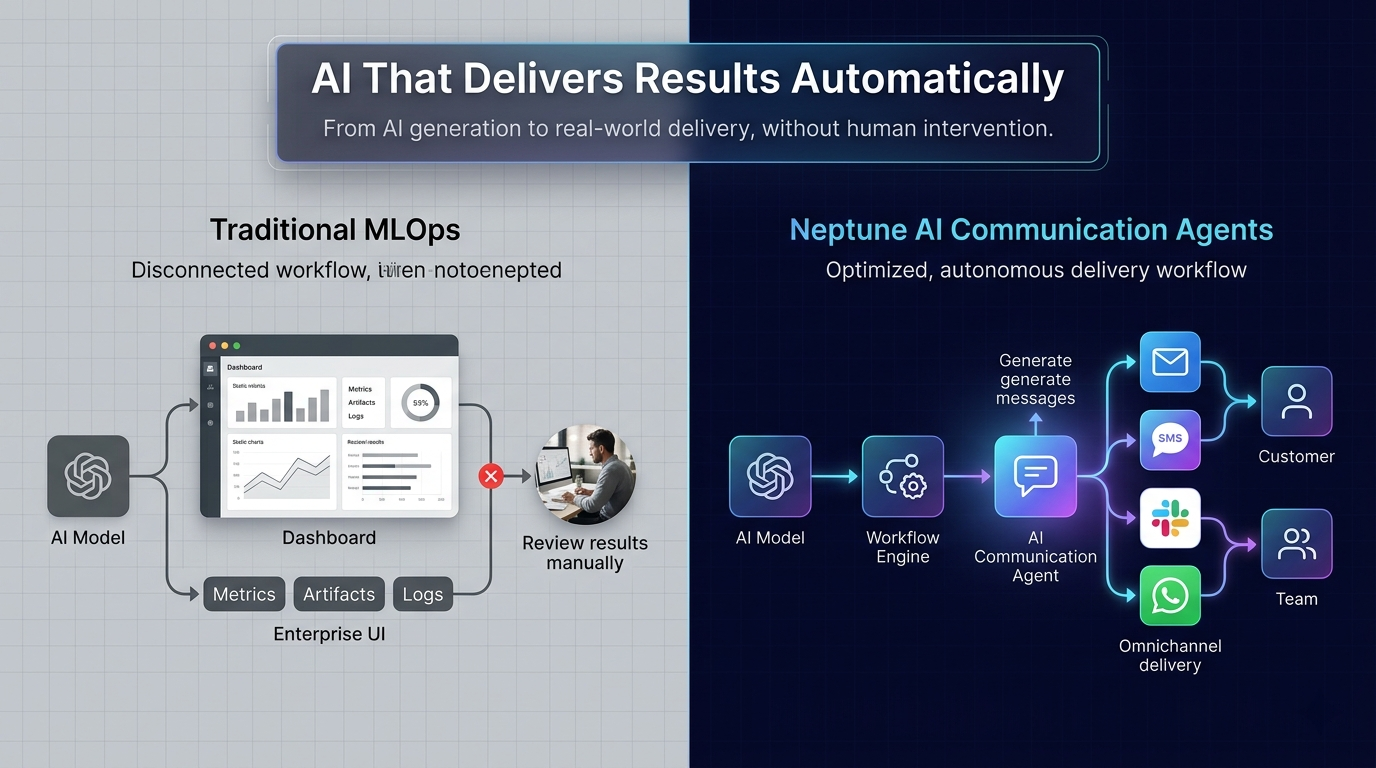
In a typical setup without this layer, a team stitches together an AI tool, a workflow platform like Zapier, Make, or n8n, and a separate messaging integration for WhatsApp or Slack. Each of those pieces has to be configured, authenticated, and maintained independently, and a change to any one of them can quietly break the chain. Neptune AI removes that stitching by handling AI processing and delivery inside a single workflow, configured once.
Why This Layer Is Often the Difference Between Automation That Works and Automation That’s Ignored
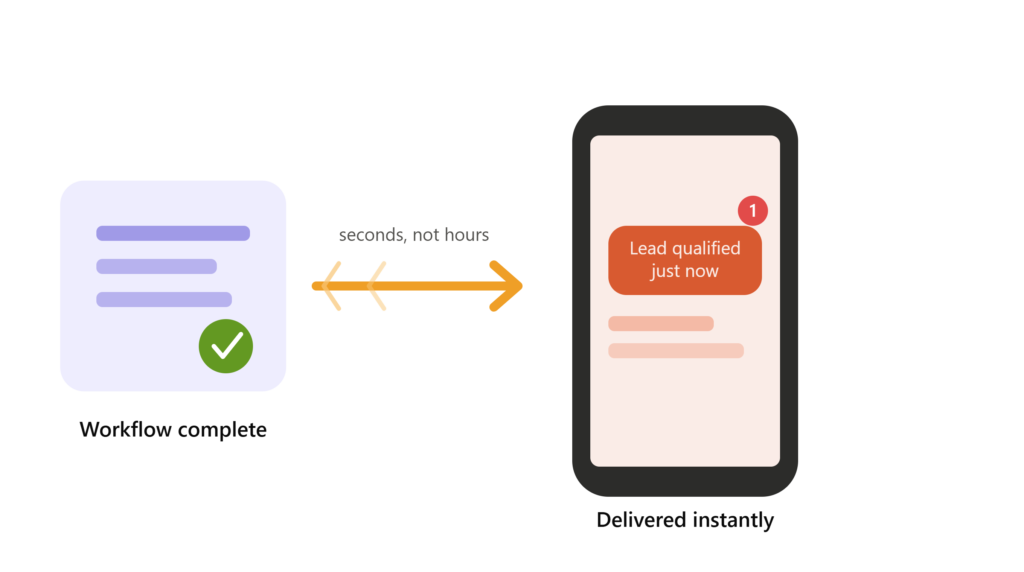
Speed and reliability at the delivery stage tend to matter more than teams expect going in. A lead-qualification result that reaches a sales rep on WhatsApp within seconds of an enquiry arriving is worth far more than the same result sitting in a dashboard an hour later. Every manual step between an AI output and the person who needs it is also a point where something can be missed, delayed, or sent to the wrong place and a workflow that produces a correct result nobody sees hasn’t actually finished the job it was built for.
Channels Neptune AI Agents Deliver Through
WhatsApp. Across much of Europe, WhatsApp is the primary channel people already use for both personal and business messaging, which makes it a natural place to deliver time-sensitive results a qualified lead summary to a sales rep, an order update to a customer, or a support resolution the moment it’s ready.
Email. For formal reporting, client-facing updates, and anything that needs a paper trail, Neptune’s email agents handle formatting and delivery automatically, so results reach an inbox without anyone manually copying content out of a dashboard.
Slack. Where a team already coordinates, workflow results daily summaries, anomaly alerts, sentiment reports arrive directly in the relevant channel instead of requiring someone to check a separate platform.
API and custom channels. For teams with their own CRM or internal tooling, structured output can be sent via API to whatever system needs to receive it, giving technical teams full control over the destination.
How It Fits Inside a Workflow
When you build a workflow in Neptune, you define the trigger, the AI model that processes the task, any intermediate steps such as enrichment or API calls, and the delivery agent that handles the final step. Once the workflow runs, each stage executes in sequence automatically. When the AI output is ready, the delivery agent formats it for the destination channel and sends it no manual activation required.
Because delivery is built into the workflow rather than bolted on afterward, updates to the AI processing step don’t break the delivery configuration, and you’re not maintaining a separate integration every time something changes upstream.
Who This Is Built For
Sales teams who need lead scores or qualification summaries on their phone between calls, not buried in a dashboard they have to remember to check.
Support operations that want ticket summaries or sentiment analysis pushed to agents in real time, on the channel they’re already working in.
Marketing teams running AI content workflows who need drafts and briefs delivered to the right person automatically rather than retrieved manually.
Operations teams who want scheduled reports or anomaly alerts delivered to email or Slack without someone pulling them manually.
Agencies and consultants managing several clients who need each client’s workflow output routed to their preferred channel without manual distribution.
Frequently Asked Questions
It’s the delivery component of an AI workflow a system that takes a completed AI output and sends it automatically through a chosen channel, such as WhatsApp, email, or Slack, without requiring someone to manually retrieve and forward it.
WhatsApp, email, Slack, and API-based delivery to custom systems. These cover the channels most commonly used for both internal team communication and customer-facing messages across Europe.
No. Delivery is configured inside the same workflow builder where you set up the AI processing step, so there’s no separate tool to install or maintain for each channel.
Delivery happens automatically as soon as the AI processing step completes there’s no manual trigger or waiting period involved.
Yes. A single workflow can be configured to send results to multiple recipients and channels simultaneously, such as a Slack channel and an email inbox at the same time.
Yes. Delivery agents can send results directly to end customers via WhatsApp or email, as well as to internal teams via Slack or email, with the destination set during workflow creation.
No. Configuration happens through Neptune’s visual, no-code workflow builder.
A chatbot responds to messages a user sends in. A communication agent is triggered by the completion of an internal AI process, not by an incoming user message, and pushes the result outward automatically.