

Table of Contents
- Introduction — Stop Chasing AI Tools and Start Building Better Outcomes
- What Is an AI Tool?
- Common AI Tool Categories
- What Is an AI Workflow?
- The Anatomy of an AI Workflow
- AI Tools vs. AI Workflows: The Key Difference
- Why Model Quality Alone Does Not Guarantee Better Results
- From AI Features to Measurable Business Outcomes
- AI Tool vs. Complete Workflow: A Content Example
- Why Context and Human Judgment Matter
- Automation and Workflow Design
- Choosing and Evaluating the Right AI Model
- Measuring the ROI of an AI Workflow
- AI Workflows Across Content, Support, Sales, and Development
- Building AI Workflows Around Existing Tools
- Common AI Workflow Mistakes
- How to Build an Outcome-First AI Workflow
- The Future: From Individual AI Tools to Connected AI Systems
- AI Workflow vs. AI Tool: Quick Comparison
- Practical Framework for Evaluating Any AI Solution
- Conclusion — Build for Outcomes, Not AI Hype
- Frequently Asked Questions
- What is the difference between an AI tool and an AI workflow?
- Are AI workflows better than individual AI tools?
- Does using a more powerful AI model always produce better results?
- How do I know whether my business needs an AI workflow?
- Can AI workflows use multiple AI models?
- Should humans be involved in AI workflows?
- How can I measure the success of an AI workflow?
- Are AI workflows expensive to build?
- Can small businesses benefit from AI workflows?
- How often should an AI workflow be reviewed?
Introduction Stop Chasing AI Tools and Start Building Better Outcomes
The AI landscape has changed from a handful of experimental applications into a crowded ecosystem of models, assistants, agents, image generators, coding copilots, research platforms, automation systems, and specialized business software. New tools appear so quickly that it can feel like a full-time job simply keeping track of what launched this week. Organizations are adopting AI at a significant pace as well: Stanford’s 2026 AI Index reports that 88% of surveyed organizations used AI in 2025, while generative AI was used in at least one business function by 70% of organizations. Yet widespread access does not automatically translate into better operations, higher-quality work, lower costs, or greater revenue. That distinction is becoming increasingly important because the real question is no longer, “Which AI model should we use?” but rather, “What business result are we trying to improve?”
An AI tool gives you a capability. An AI workflow turns that capability into a repeatable process designed to produce a useful result. Think of an AI model as an extremely capable engine: horsepower matters, but an engine sitting in a garage does not deliver anyone to their destination. The vehicle around it, the route, the driver, the fuel, and the destination all matter too. The same principle applies to AI. A sophisticated model can write, analyze, reason, summarize, code, search, or create images, but without good inputs, relevant context, clear instructions, quality controls, integrations, and a defined objective, its raw capability may create little practical value.
That is why outcomes matter more than models. A company does not ultimately benefit because it owns access to the newest model; it benefits when a process becomes faster, cheaper, more accurate, more scalable, or more useful to customers. McKinsey’s 2025 research describes organizations increasingly redesigning workflows and governance around generative AI to capture value rather than simply deploying the technology. The technology will continue changing, but the underlying business objectives—serve customers better, publish faster, reduce repetitive work, improve quality, and generate sustainable value—remain much more stable.
What Is an AI Tool?
An AI tool is a software application or service that uses artificial intelligence to perform a particular task or set of related tasks. A writing assistant can generate or edit text, a research assistant can summarize information, a coding assistant can suggest code, an image generator can create visual assets, and a customer-support application can help produce responses. The defining characteristic is that the tool provides a capability that a person can invoke when needed. It may be extremely powerful, but the user is generally responsible for deciding when to use it, what information to provide, how to evaluate the result, and what happens next. In other words, the tool usually sits inside a larger human process rather than being the entire process itself.
AI tools can be grouped into many categories, including writing, research, coding, design, transcription, data analysis, customer support, sales, marketing, automation, and productivity. Some applications are broad and can handle many different tasks, while others are deliberately specialized. The specialization can be useful because a focused product may provide interfaces, integrations, templates, or controls designed for a particular job. But users often make the mistake of evaluating these products primarily by their feature lists: number of models, context window, image quality, integrations, benchmark scores, or new buttons added to the interface. Those details matter, but they are not the final measure of value.
Imagine a marketing team that purchases an excellent AI writing application. If employees still spend hours manually researching topics, gathering company information, checking facts, formatting drafts, optimizing content, obtaining approval, uploading articles, and monitoring performance, the organization has acquired a useful tool without necessarily improving the whole content operation. The tool may be excellent while the process remains inefficient. That is the central limitation of thinking about AI only as software: a tool can improve a task without improving the system surrounding that task.
Common AI Tool Categories
Different categories of AI tools can contribute different capabilities to the same broader process. Writing tools can generate drafts, research tools can gather information, design systems can create graphics, coding assistants can accelerate development, and automation platforms can move information between applications. Modern AI systems increasingly combine several of these capabilities, making the boundary between a “tool” and a broader AI platform less obvious. That makes it even more important to evaluate technology according to what it accomplishes inside a real workflow rather than what its product page promises.
What Is an AI Workflow?
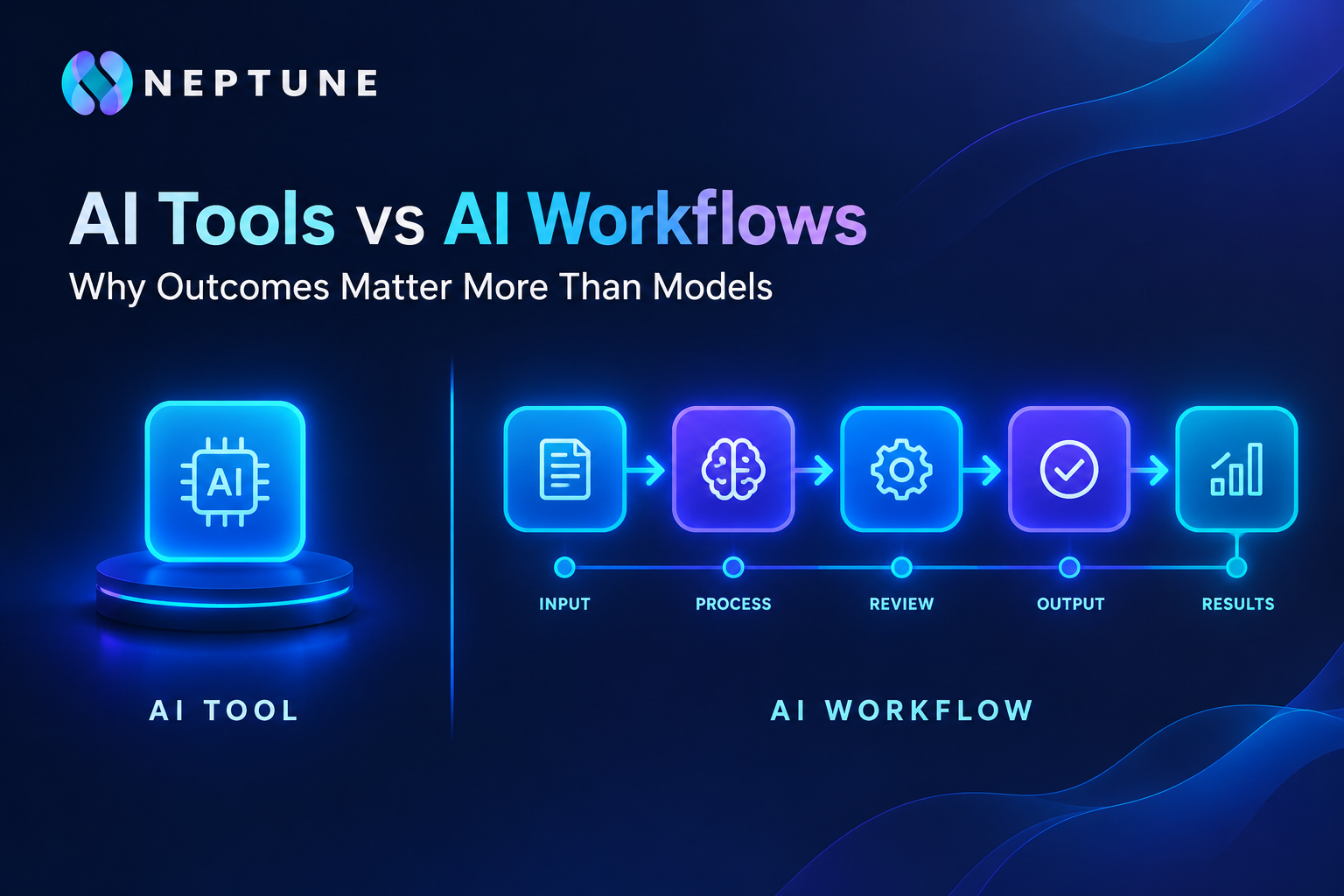
An AI workflow is a structured sequence of tasks in which AI, software automation, data, and people work together to produce a defined outcome. Instead of asking what a single application can do, a workflow asks how a complete process should operate from beginning to end. It might begin with a trigger such as a new customer inquiry, a submitted document, a new sales lead, or a content idea. The workflow can then collect information, use an AI model for analysis or generation, apply business rules, route the result for human review, update another system, and produce a final output.
This distinction sounds subtle, but it changes how organizations think about AI. A standalone tool is often task-oriented; a workflow is outcome-oriented. For example, “generate an email” is a task. “Respond to qualified customer inquiries within ten minutes using approved company information, route sensitive cases to an employee, record the interaction in the CRM, and measure resolution quality” is a workflow. AI may be involved in several stages, but the value comes from the complete chain rather than from the model alone.
A useful AI workflow normally includes several components: inputs, context, processing, decision rules, AI actions, human review, integrations, outputs, and measurement. The exact structure varies by use case. A low-risk internal summarization process might need almost no human intervention, while a customer-facing or high-impact process may require multiple approval checkpoints. NIST’s AI Risk Management Framework emphasizes that organizations should define roles and responsibilities around human-AI interaction and manage AI risks throughout the lifecycle.
The Anatomy of an AI Workflow
Consider a simple support workflow. A customer submits a question, the system identifies its category, retrieves relevant information from an approved knowledge base, generates a draft response, checks the response against predefined rules, and either sends it or routes it to an employee. The AI model is only one component. If the knowledge base is outdated, the response can still be wrong. If the routing logic is poorly designed, the right answer may reach the wrong person. If there is no measurement system, the company may not even know whether the workflow improved customer experience.
That is why workflow architecture is often more important than simply selecting a fashionable model. The model supplies intelligence, but the workflow determines where that intelligence is applied, what information it receives, what constraints it follows, what happens when it is uncertain, and how its output becomes useful work.
AI Tools vs. AI Workflows: The Key Difference
The simplest way to understand the difference is to compare capability with execution. An AI tool may be capable of creating a blog post. An AI workflow can take a content brief, research the topic, organize supporting information, produce an outline, draft the article, check factual claims, apply brand guidelines, optimize metadata, request human approval, publish the content, and track its performance. Both involve AI, but they solve different problems. One provides a capability; the other organizes capabilities around an outcome.
This distinction also explains why the same AI model can produce dramatically different results in different environments. Give a model a vague prompt and incomplete context, and the output may be generic. Put that same model inside a carefully designed system containing structured company information, examples of approved work, explicit business rules, relevant source material, validation steps, and human review, and its practical usefulness can change substantially. The underlying model has not necessarily changed. The system around the model has changed.
This is similar to the difference between owning a professional camera and operating a successful photography business. A premium camera can capture technically impressive images, but it does not automatically find clients, schedule shoots, organize files, communicate with customers, create invoices, obtain approvals, or deliver finished projects. Those outcomes require a process. AI works the same way. The model is one component in a larger operational system.
The comparison becomes especially important as AI adoption grows. Stanford’s 2026 AI Index reports that organizational AI use continued rising in 2025, while AI agent deployment remained relatively early across many business functions. That gap illustrates the difference between using AI somewhere and redesigning work around AI. Adoption is an important first step, but adoption alone does not prove that a workflow is producing meaningful value.
Why Model Quality Alone Does Not Guarantee Better Results
A more capable model can be useful, but it cannot compensate for every weakness in a process. Suppose a business gives an advanced model an incomplete customer record and asks it to produce a personalized recommendation. The model may reason impressively from the information it receives, but it cannot reliably use facts that were never supplied. This is the classic garbage-in, garbage-out problem: better processing cannot fully rescue poor inputs.
Context is particularly important. AI systems perform differently depending on the information available to them, the instructions they receive, the examples they can reference, the tools they can access, and the constraints placed around their output. A workflow that retrieves relevant documents before asking the model to answer a question can be substantially more useful than one that relies on a generic prompt. Similarly, a coding workflow that includes repository context, tests, project conventions, and code-review checkpoints is fundamentally different from simply asking an AI chatbot to write a function from scratch.
Model selection also involves trade-offs. Organizations may need to balance accuracy, latency, cost, context capacity, reasoning performance, multimodal support, reliability, privacy requirements, and integration options. The most capable model may be unnecessary for a simple classification task. A smaller or faster model could potentially handle that stage at lower cost while a more advanced model is reserved for difficult reasoning.
The key idea is simple: model quality is an input to workflow quality, not a substitute for workflow quality. NIST’s framework similarly emphasizes evaluation, measurement, governance, and risk management across the AI lifecycle rather than treating model selection as the entire solution.
From AI Features to Measurable Business Outcomes
The most useful AI strategy begins with a question that has nothing to do with AI: What should improve? Perhaps the customer-support team needs to reduce response time. Maybe a content team wants to publish twice as much without doubling headcount. A sales organization might want to reduce the time representatives spend researching leads. A software team could be trying to shorten development cycles while maintaining code quality. Once the desired outcome is clear, AI becomes a means rather than the objective.
Useful measurements can include:
| Outcome | Example Metric |
| Time savings | Hours required per task |
| Cost reduction | Cost per completed process |
| Productivity | Completed work per employee |
| Quality | Error or rework rate |
| Customer experience | Satisfaction or resolution time |
| Revenue | Revenue influenced by the process |
| Speed | Time from request to delivery |
| Scalability | Volume handled without proportional staffing |
| Accuracy | Correct results or successful classifications |
These measurements provide a much clearer picture than counting prompts or AI-generated outputs. Producing 10,000 pieces of text is not necessarily valuable if most of them require extensive rewriting. Generating thousands of automated support responses is not a success if customer complaints increase. Writing code faster is not automatically beneficial if testing and debugging consume the time saved.
Stanford’s 2025 AI Index found that organizations reporting AI-related financial benefits generally described relatively modest levels of impact, with many reported cost savings below 10% and common reported revenue increases below 5%. Those findings reinforce an important lesson: AI adoption and AI value are not the same measurement. Businesses need to connect technology usage to measurable operational or financial results.
AI Tool vs. Complete Workflow: A Content Example
Consider a company that wants to publish more educational articles. In the tool-first approach, a writer opens an AI application and asks it to produce an article. The writer may then manually search for sources, check facts, rewrite sections, create an image, write metadata, format the article in WordPress, add links, obtain approval, publish it, and later check search performance. The AI tool may save time on drafting, but the surrounding process remains largely manual. The organization has improved one part of the operation without necessarily redesigning the entire content pipeline.
Now consider an AI content workflow. A topic enters the system through a content calendar. Research information is collected and organized. The system generates an outline according to the site’s editorial requirements. AI drafts the content using approved brand guidelines and relevant context. Another stage checks factual claims and identifies areas requiring human verification. SEO metadata is generated, images are prepared, and the draft moves to an editor for approval. Once approved, the content is published and performance data is fed back into future planning.
The difference is not simply “more AI.” It is better orchestration. Each stage has a defined purpose, and the output of one stage becomes useful input for the next. Humans remain involved where judgment, accountability, or brand decisions matter. Automation handles repetitive movement between systems. AI handles tasks where language, classification, synthesis, or generation can provide leverage.
That workflow also becomes measurable. The organization can compare the old and new processes based on research time, editing time, production cost, publication frequency, factual error rate, approval time, and content performance. Suddenly the AI conversation becomes much more practical because the company can ask whether the process actually improved.
Why Context and Human Judgment Matter
AI does not operate in a vacuum. A general-purpose model may know a great deal about the world, but a business usually needs something much narrower: what is true for this organization, this customer, this product, this brand, and this process. Company policies, product documentation, previous work, customer information, pricing rules, tone guidelines, internal terminology, and operational constraints can all change what a useful answer looks like. Supplying the right context can therefore be more important than repeatedly switching models.
Human judgment remains equally important in many workflows. NIST’s AI Risk Management Framework explicitly discusses different configurations of human-AI interaction and stresses the need to define human roles and responsibilities. A workflow can automate routine steps while still requiring an employee to approve a customer-facing decision, verify a sensitive claim, review an unusual case, or make a final strategic judgment. The goal does not have to be removing humans. Often, the better goal is removing unnecessary human effort while preserving valuable human judgment.
This approach also creates a useful division of labor. AI can handle high-volume processing, summarization, classification, drafting, pattern recognition, and repetitive transformations. People can focus on ambiguity, relationships, accountability, creativity, negotiation, exceptions, and decisions where business context matters. Microsoft’s 2025 Work Trend Index described an emerging model of human-agent teams and reported that 82% of surveyed leaders viewed 2025 as a pivotal year for rethinking strategy and operations.
The strongest workflow is therefore rarely “AI does everything.” It is usually AI does the repeatable work, humans handle the judgment that actually matters.
Automation and Workflow Design
AI-powered automation combines AI capabilities with triggers, actions, conditions, integrations, and outputs. A trigger might be a new email, form submission, support ticket, database record, or CRM lead. An AI action could classify the information, summarize it, extract relevant fields, generate a response, or determine which process should happen next. Conditions then decide what happens based on the result, while integrations move information between the systems already used by the organization.
But automation should never begin with the question, “What can we automate?” A better question is, “What process are we trying to improve?” If a workflow contains unnecessary approvals, duplicate data entry, unclear ownership, or poor source information, automating it can simply make the bad process run faster. That is why process mapping should come before technology selection.
A well-designed workflow identifies the current steps, measures where time is spent, locates bottlenecks, and determines which steps genuinely require human judgment. Only then should the team decide where AI belongs. Perhaps AI should classify incoming requests but not make the final decision. Perhaps it should draft content but not publish automatically. Perhaps it should prepare a sales summary while the representative decides whether the lead deserves outreach.
Microsoft’s recent research increasingly frames AI and agents around redesigned work and human-agent collaboration rather than simply individual AI usage. That direction highlights an important principle: automation is valuable when it improves a process, not merely when it reduces clicks.
Choosing and Evaluating the Right AI Model
Choosing an AI model should begin with the requirements of the task. If a workflow needs fast classification across thousands of records, latency and cost may matter more than maximum reasoning capability. If the task involves complex analysis of long documents, context capacity and reasoning performance may matter more. If the workflow handles images, audio, or video, multimodal capabilities become relevant. If the system needs to interact with existing business software, integration and API capabilities can become critical.
A practical evaluation can consider:
- Accuracy: How often does the system produce useful and correct results?
- Speed: How quickly can it process the task?
- Cost: What does each completed workflow run cost?
- Context: Can it handle the necessary information?
- Reasoning: Can it manage the complexity of the task?
- Multimodal support: Can it work with the required formats?
- Reliability: Does performance remain consistent?
- Integration: Can it connect with existing systems?
- Governance: Can the organization control and monitor its use?
The “most powerful” model is therefore not automatically the right choice. A workflow may use several models for different stages. A fast model might classify incoming requests, another might perform deeper reasoning, and a specialized system might process images or documents. The architecture can select the appropriate capability based on the requirements of each step.
This approach also reduces dependence on a single vendor or model. If a workflow is designed around an outcome and has clear interfaces between stages, individual components can potentially be replaced as technology improves. That flexibility is increasingly important because AI capabilities are evolving rapidly.
Measuring the ROI of an AI Workflow
ROI measurement should begin before the workflow is deployed. Establishing a baseline makes it possible to compare the old process with the new one. If employees currently spend 20 hours per week handling a repetitive process, that becomes the baseline. If each case costs a certain amount, that cost can be recorded. If the process has a measurable error rate or average completion time, those figures should be captured too.
After implementation, measure the same variables. A useful framework might look like this:
Workflow ROI = measurable value created − implementation and operating costs
The exact financial calculation depends on the business, but the principle is straightforward. Track labor time saved, additional output, reduced rework, lower error costs, increased revenue, improved customer retention, or other measurable benefits. Then subtract the cost of software, infrastructure, integration, maintenance, monitoring, and human review.
Quality must be measured alongside speed. An AI workflow that reduces processing time by 50% but doubles the error rate may not create value. Similarly, a customer-support system that resolves tickets faster but reduces customer satisfaction needs redesign. NIST’s AI RMF uses a continuous approach to governing, mapping, measuring, and managing AI risks and impacts, which aligns with the idea that AI workflows should be evaluated throughout their lifecycle.
The goal is not to produce a complicated dashboard. The goal is to answer a simple question: Is this workflow creating more value than it costs?
AI Workflows Across Content, Support, Sales, and Development
AI workflows can be applied across many departments because the underlying pattern is similar: collect information, process it intelligently, apply rules, involve people where necessary, and produce a measurable result. In content creation, a workflow can connect research, outlining, drafting, SEO, image preparation, editing, publishing, and performance analysis. The benefit is not merely faster writing; it is a more predictable content-production system.
In customer support, AI can classify incoming requests, retrieve relevant knowledge, prepare responses, detect potentially sensitive cases, and route exceptions to human agents. The workflow can then monitor response quality and customer feedback. Accuracy and escalation rules become especially important because a fast incorrect answer can damage the customer experience.
In sales, AI can collect leads, enrich company information, summarize accounts, prepare personalized outreach, update CRM records, and create follow-up reminders. The sales representative can remain responsible for relationship-building, qualification, negotiation, and final communication. This allows AI to reduce administrative work without turning the sales process into an entirely automated interaction.
In software development, AI can support requirements analysis, code generation, testing, debugging, documentation, and review. Engineering oversight remains important because generated code can introduce defects, security problems, or architectural inconsistencies. Microsoft’s research indicates that organizations are increasingly considering AI agents and redesigned workflows as part of future operating models. The practical lesson across all four examples is the same: AI becomes more valuable when it is connected to the complete process rather than isolated inside one application.
Building AI Workflows Around Existing Tools
Organizations rarely need to replace every application they already use. In many cases, the smarter approach is to add AI as an intelligence layer around existing systems. A company might continue using its CRM, project-management platform, email system, database, help desk, communication tools, and content-management system while connecting AI to the appropriate points in the process.
Integrations and APIs make this possible. A workflow can retrieve information from a CRM, send selected data to an AI system, receive a structured result, apply business logic, and write the result back into the CRM. Another workflow might take information from a project-management system, generate a status summary, send it to a communication platform, and flag overdue items for human attention.
This approach matters because business value often comes from connecting information that already exists. An AI model may be highly capable, but if it cannot access the relevant customer, product, project, or operational information, its usefulness can be limited. Integrations turn isolated applications into a connected process.
The architecture should still be designed carefully. Access permissions, data quality, security, failure handling, monitoring, and human approval requirements need to be considered. NIST emphasizes trustworthy AI characteristics such as reliability, security, accountability, transparency, explainability, and privacy throughout the AI lifecycle. An AI workflow should therefore fit into the organization’s broader technology and governance environment rather than operating as an uncontrolled layer.
Common AI Workflow Mistakes
One of the biggest mistakes is automating a broken process. If the existing workflow has unnecessary steps, unclear responsibilities, or poor data, automation may amplify those problems. Another mistake is selecting AI tools before defining the desired outcome. Teams can spend weeks comparing applications without knowing what business metric they are actually trying to improve.
Data quality is another major issue. An AI workflow cannot reliably produce high-quality results from inaccurate, outdated, incomplete, or poorly structured information. Human review can also be removed too early. While automation is attractive, some decisions require domain expertise, accountability, or contextual judgment. Removing those checkpoints simply because a model appears capable can create avoidable risk.
Using too many tools is another common problem. A workflow containing eight different AI applications may look sophisticated while creating unnecessary complexity, higher costs, more integration points, and more opportunities for failure. Simplicity is often a strength. If one reliable component can perform a task adequately, adding another layer may not create meaningful value.
Finally, teams often measure activity instead of outcomes. They count prompts, generations, automated tasks, or AI users rather than measuring time saved, quality improved, revenue generated, or costs reduced. The remedy is straightforward: start with the business objective, map the process, define measurable KPIs, and then decide where AI actually belongs.
How to Build an Outcome-First AI Workflow
An outcome-first workflow starts with the destination rather than the technology. The following sequence provides a practical framework for designing one.
1. Define the desired outcome. Clearly describe what should improve. “Use AI for customer support” is too vague. “Reduce average first-response time while maintaining or improving customer satisfaction” is measurable.
2. Map the existing process. Document what happens today, including inputs, manual tasks, approvals, systems, delays, and outputs. This reveals where the actual bottlenecks are.
3. Identify repetitive tasks. Look for work involving classification, summarization, extraction, drafting, formatting, data transfer, or repetitive research. These areas often provide opportunities for AI assistance or automation.
4. Select appropriate AI capabilities. Match technology to requirements rather than choosing a model because it is popular. Consider accuracy, speed, cost, context, reasoning, multimodal requirements, and integrations.
5. Add context and business rules. Give the system the information it needs and establish boundaries for what it can do. Context can include internal documents, customer information, examples, policies, product data, and brand guidelines.
6. Add human review where necessary. Define when a person must approve, verify, correct, or override AI output. NIST specifically emphasizes clearly defined human roles and responsibilities in AI systems.
7. Measure performance. Compare the workflow against the original baseline. Track time, cost, quality, accuracy, volume, customer experience, or revenue depending on the objective.
8. Continuously improve. Review failures, user feedback, changing business requirements, and model performance. Replace components when necessary, refine prompts and rules, and simplify steps that do not contribute value.
This approach makes AI a component of a business system rather than the center of the strategy.
The Future: From Individual AI Tools to Connected AI Systems
The direction of AI is increasingly moving from individual interactions toward connected systems that can plan, execute, coordinate, and monitor multi-step work. AI agents are part of this shift. Rather than simply answering a prompt, an agent can potentially use tools, retrieve information, perform actions, and continue through a process according to defined objectives and permissions.
Microsoft’s 2026 Work Trend Index describes a workplace where AI and agents increasingly take on execution while humans retain greater responsibility for directing work and owning outcomes. Its research surveyed 20,000 AI-using workers across 10 countries and analyzed large volumes of anonymized productivity signals. This does not mean every business process should become autonomous. It does indicate that organizations are increasingly thinking about AI as part of operating systems for work rather than merely as standalone applications.
This shift makes workflow architecture more important. Businesses will need to determine which tasks should be automated, which require human approval, what information agents can access, how systems communicate, how failures are handled, and how performance is measured. The winners of this transition, in descriptive terms, will not simply be organizations with access to the most models; they will be organizations that understand how to turn available capabilities into reliable processes.
The model layer will continue changing. Workflow architecture can provide continuity.
AI Workflow vs. AI Tool: Quick Comparison
| Factor | AI Tool | AI Workflow |
| Purpose | Performs a task | Achieves a broader outcome |
| Scope | Usually focused | Covers multiple connected steps |
| Automation | Often user-initiated | Can include automated triggers and actions |
| Context | Usually supplied per task | Can be structured and reused |
| Integration | May operate independently | Connects multiple systems |
| Human involvement | User directs most activity | Human roles can be deliberately assigned |
| Scalability | Depends heavily on users | Can process repeatable workloads |
| Measurement | Often focused on tool usage | Focused on process and business KPIs |
| Model flexibility | Often tied to available models | Can potentially combine multiple models |
| Business impact | Improves individual tasks | Can improve an entire process |
The table highlights why the two concepts should not be treated as competing products. An AI tool can be an important building block inside an AI workflow. A workflow may use one tool or several tools depending on what the process requires. The meaningful distinction is the level at which value is being created and measured.
Practical Framework for Evaluating Any AI Solution
Before adopting an AI product or designing an AI workflow, ask a series of outcome-focused questions. What problem does it solve? If the answer is unclear, the technology may be searching for a problem rather than addressing one. What outcome should improve? Define the result in measurable terms whenever possible.
Next, ask how much time does it save, how does it affect quality, and what does it cost? These questions force attention away from impressive demonstrations and toward operational reality. Then examine whether the solution can integrate with existing systems and whether the required data is available in a reliable form. A tool that produces excellent results but requires employees to manually copy information between five systems may not improve the process as much as expected.
Human involvement should also be explicit. Ask which decisions can be automated, which require approval, and what happens when the AI is uncertain. This is particularly important for customer-facing or high-impact processes. NIST’s framework recommends considering trustworthy AI characteristics throughout design, development, deployment, use, and evaluation.
Finally, ask whether the solution can adapt. Can the workflow switch models if a better option becomes available? Can its prompts, business rules, integrations, or data sources be updated? Can performance be measured continuously? These questions help prevent an organization from building its entire AI strategy around a temporary technology choice.
Conclusion Build for Outcomes, Not AI Hype
AI tools are becoming easier to access, models are becoming more capable, and organizations are experimenting with increasingly sophisticated forms of automation. But access to powerful technology is only the beginning. The real value appears when AI is connected to a well-designed process containing the right information, clear instructions, useful integrations, appropriate automation, human judgment, quality controls, and measurable objectives.
The distinction between an AI tool and an AI workflow is therefore more than a terminology difference. A tool provides capability; a workflow turns capability into repeatable execution. A model can generate an answer, but a workflow determines where that answer comes from, how it is evaluated, what happens next, and whether it ultimately improves the business process.
Organizations should therefore resist the temptation to measure progress by the number of AI subscriptions they have or how quickly they adopt each new model. A more useful question is whether employees are saving meaningful time, customers are receiving better service, errors are decreasing, costs are falling, delivery is becoming faster, or revenue-producing activities are improving. Stanford’s recent AI Index research shows that organizational AI adoption is already widespread, while meaningful financial impact is still developing across many functions.
The AI models of today will eventually be replaced by newer models. Tools will merge, disappear, and evolve. Workflows built around clear business objectives, however, can adapt. Build around the outcome first, then choose the AI capabilities that help you reach it. That mindset turns AI from something to constantly chase into something you can deliberately design into the way work gets done.
Frequently Asked Questions
An AI tool is generally designed to perform a specific task, such as generating text, analyzing information, creating an image, or assisting with code. An AI workflow connects multiple tasks, systems, rules, AI capabilities, and human decisions into a repeatable process designed to achieve a broader outcome. A workflow can use one AI tool or several tools. The important difference is that the workflow focuses on how work moves from an initial input to a measurable resul
They serve different purposes. An individual AI tool can be exactly what someone needs for a simple task that does not require automation or integration. A workflow becomes useful when a process contains multiple repetitive steps, requires information from different systems, or needs consistent execution. The appropriate choice depends on the desired outcome, process complexity, cost, and amount of human involvement required.
No. Model capability is only one factor affecting the final result. The quality of the input data, context, instructions, integrations, business rules, evaluation process, and human review can all influence workflow performance. A highly capable model receiving poor information may produce less useful results than a less expensive model placed inside a carefully designed process.
Look for repetitive processes that consume significant employee time, create measurable bottlenecks, involve frequent data movement, or require large amounts of routine analysis or drafting. If a process occurs frequently and has a reasonably clear input and output, it may be a candidate for workflow improvement. Start by measuring the existing process before deciding whether AI or automation is appropriate.
Yes. A workflow can assign different models or AI systems to different tasks according to their strengths, cost, speed, or required capabilities. For example, one system might classify incoming information, another might handle complex reasoning, and another might process images or documents. This approach can make the overall workflow more flexible because the business objective is not necessarily tied to one specific model.
Human involvement depends on the task and its risk. Humans can provide valuable oversight for decisions involving ambiguity, sensitive information, customer relationships, accountability, or strategic judgment. NIST recommends clearly defining human roles and responsibilities in human-AI systems rather than assuming that every process should be fully autonomous.
Start with a baseline and compare performance before and after implementation. Useful metrics can include processing time, cost per task, output volume, error rate, quality scores, customer satisfaction, revenue, response time, and employee productivity. The right KPI depends on the business objective. The most useful measurement is the one that shows whether the workflow is improving the result the organization actually cares about.
Costs vary widely. A simple workflow connecting a few existing applications can be relatively straightforward, while a complex enterprise workflow may require custom integrations, infrastructure, monitoring, security controls, data preparation, and ongoing maintenance. The business case should therefore consider both implementation costs and measurable benefits rather than judging the workflow only by its initial price.
Yes. Small businesses can use relatively simple workflows to automate repetitive administrative work, organize leads, prepare marketing content, summarize customer requests, manage documents, or assist with internal operations. The best starting point is usually a narrow process with a clear business benefit rather than attempting to automate the entire company at once.
A workflow should be monitored continuously and formally reviewed whenever its performance, business requirements, data sources, or technology changes. AI capabilities can evolve quickly, while business processes and customer expectations can change as well. Regular review helps identify unnecessary steps, new automation opportunities, declining accuracy, rising costs, and areas where human oversight needs adjustment.